Merry Christmas and Happy Holidays

Merry Christmas


Just wanted to wish you all a Merry Christmas and Happy Holidays.


I hope everyone has an enjoyable day with their friends and family this Christmas day. I’m grateful for all who follow my blog and I truly appreciate you all.


Now that the holiday season is over I hope to get back to being able to post more of my photography for you to enjoy. And be sure to check out all of my work that is available for purchase at AmericanKiwiPhoto.com


Stuck In Customs Passport

Stuck in Customs Passport

Stuck in Customs Passport

Your passport to all things Trey Ratcliff and Stuck in Customs.

So what is the Stuck in Customs Passport

It is a subscription plan that lets you get access to some of the best photography tutorials, tips, and tools out there. You are getting access to the “Trey Ratcliff” items from the Stuck in Customs store.


Here is what you get with your subscription.


The Content

  • Video Streaming of Trey’s Best Tutorials – Note that this is Streamed. If you want to get the downloaded content, you still need to purchase separately.
  • Download Specialty Presets Packs
  • Download all of Trey’s eBooks
  • Exclusive Tips & Tutorials
  • Trey’s RAW files for select images

Special discounts and access

  • Discounts on Photo Adventures & Workshops
  • Live Monthly Q&A with Trey
  • Early Access to New Tutorials
  • Exclusive discounts on 3rd party products
  • No Advertising on StuckinCustoms.com – Since you actually sign into stuck in customs they have removed all the advertising that you would normally see so you can get the best experience of the content and just the content.

And you are helping a good cause.

If you have been to Trey’s site recently you know that he and his wife are supporting a foundation by the Dr who treated Trey’s wife’s cancer. 10% of all proceeds go to The Healing NET Foundation charity.

No only do you get access to great content and extras, but you can feel good about supporting a good cause.


There are two options when signing up. There is a yearly subscription that saves you 20% over the other option, a monthly subscription plan. All the details and how to sign up can be found via the link below.


Access To The Best Photography Tutorials, Tips And Tools. Sign up for Passport today

SIC Passport

#treyratcliff #stuckincustoms #passport #subscription


New Updated HDR Video Tutorial from the Master of HDR

The Complete HDR Tutorial Version 3

Trey Ratcliff has released a completely new updated HDR Video tutorial.


The Complete HDR Tutorial Version 3.0

This all new HDR Tutorial featuring Lisa Bettany along with Trey. Trey not only gives you his post-processing techniques, but you get some pre-shot tips when he and Lisa discuss artistic inspirations and challenges, how they compose a shot, their camera settings and much more.

Your purchase includes downloads of:

  • 6+ hours of instruction that you download for offline viewing
    • Lesson 1: Setting up your camera
    • Lesson 2: A Basic HDR Photo
    • Lesson 3: Indoor HDR
    • Lesson 4: Outdoor HDR
    • Lesson 5: Night HDR
    • Lesson 6: Single Exposure HDR
    • Lesson 7: Mobile Photography
    • Lesson 8: Drone HDR
    • Lesson 9: A final HDR Shot
    • Bonus Lesson: HDR Sunrise in Extreme Conditions
    • Bonus Lesson: Vibrant Street Photography
  • Trey’s RAW image files
  • 5 Bonus Videos
  • Access to the Stuck in Customs Clubhouse


Version 3.0 comes in 2 flavors.

There is the Mac Version using Aurora HDR 2017 and a Windows version using Photomatix. So no matter what your platform, you are covered.


Get your copy of The Complete HDR Tutorial Version 3.0 Today


You can also get access to this tutorial as streamed content via the Stuck in Customs

SIC Passport

As of the time of this post, Stuck in Customs has this tutorial on sale. I’m not sure how long it will be, so if you are looking to get the tutorial now is the time.


#hdrtutorial #stuckincustoms #download #Passport #affiliate


Luminar TouchBar Support

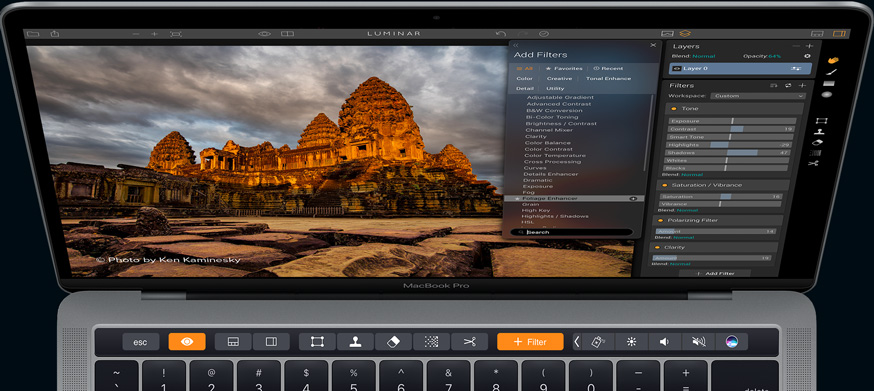
Luminar now supports Apple’s MacBook TouchBar

With the latest release,  Luminar now supports the TouchBar on MacBooks


With the addition of the TouchBar support, you can now select many of the menu functions right from the TouchBar. When you have selected a filter or other adjustment, you no longer have to use the touchpad on your MacBook, you can use the slider on the TouchBar and make more accurate adjustments. See the various TouchBar views here.

Current uses of Luminar will need to get the latest update.  Click Here to learn how to get the update for your version of Luminar.


Free Presets

In addition to the update, Macphun is currently offering 3 sets of Preset Packs for Luminar from Pro Luminar users.


The future of Luminar

Macphun has announced plans for a version of Luminar for Windows that is coming in 2017 but no actual ship date has been announced yet. If you want to compare Luminar’s existing features and the coming soon features versus Apple’s Aperture and Adobe’s Lightroom, check out the comparison checklist here

There are many more features coming to Luminar in the upcoming weeks. As soon as I find out about the new or pending features I’ll be sure to let you know.any


Luminar and Aurora HDR 2017 are still on sale for Black Friday so don’t miss out on the discount and free extras


#Luminar #luminarupgrade #touchbar #luminarpresets


Luminar for the Mac Available now

Luminar

Luminar is Now Available for download.


Get it at the launch pricing for a limited time of $59 for new customers and $49 for existing Macphun customers. That’s a $10 savings off of the retail prices

And NOW, you can Try it BEFORE you Buy!

So give it a try as I’m sure you will realize this is the best photo editor for the Mac for beginner to Advanced users.
Once you download and install Luminar, you will get access to a series of 26 videos showing you how to make the most of Luminar’s features and options.


Here is my first photo edited with Luminar and one of the first I took with my Fujifilm X-T2


The tracks in the Fall

#Macphun #Luminar #Photoeditor #FujiFilmUSA


My New Camera Arrived – FujiFilm X-T2

My FujiFilm X-T2 arrived today from Amazon Warehouse.
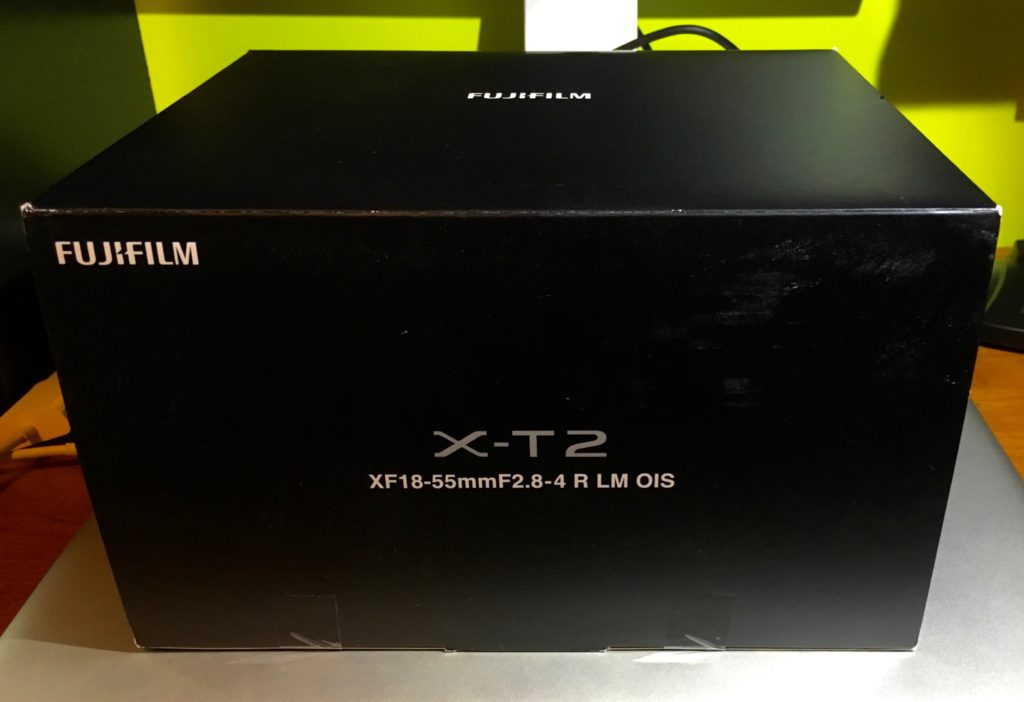
 

Fujifilm X-T2

Check current new pricing: Amazon|Adoroma


My trusty Nikon 80 is starting to show its age. It has served me well and will continue to do so as my backup camera. But I have been looking for a new camera for some time now. I checking out upgrading to another cropped sensor Nikon and even the Full Frame Nikons. Then I started seeing more and more folks including my photography friends using mirrorless cameras so I started to check those out as well.  I finally narrowed down my choices to a Nikon D7200 as the full frame Nikons are just out of my budget right now. And even though I really wanted a full Frame Sony mirrorless camera, again it was out of the budget. So I decided to get the FujiFilm X-T1, but then they announced the X-T2 model but it was just on the edge of my budget range for a new camera.

I’m always looking for the best deals to get the best bang for my buck, so when I started looking for my final choice of a Fujifilm X-T2 Mirrorless Digital Camera with 18-55mm F2.8-4.0 R LM OIS Lens as my camera replacement I wasn’t finding anything below full retail. This was expected since the camera was just released a little over a month ago. I resigned myself to sit and wait awhile to see if the price came down

In my hunt for the best price on the recent printer purchase, I stumbled upon an Amazon price-watching site called camelcamelcamel.com. I did my amazon search for the X-T2 with lens and didn’t see anything at the time that was discounted, so I added a price watch on camelcamelcamel.com.  Initially, it was just giving me the same pricing that I found myself, but then one day it showed me on for $230 less so I clicked on the link immediately. I was sent to the Amazon Warehouse listing that showed this was for a “used” classification sale of the camera. I had never heard of Amazon Warehouse so I started checking out the terms etc and when I was about to buy the camera, the listing was gone all in less that 15 mins. I was upset with myself for procrastinating, but I did my due diligence and checked out the service and terms so I was ready if it ever came up again.

Well a few days later another listing popped up and I jump right on it.  That order is the camera that arrived today. It was listed as Used: no cosmetic issues with the camera and  tested and confirmed working but only a damaged box. After opening the Amazon box and finding the X-T2 box inside I took everything out and inspected everything.  The only thing I could find wrong was the LCD screen was a little smudged, which was easily cleaned with a lint free cloth. The box hardly had a mark on it other than fresh tape.

It is obvious to me this was an Amazon returned product and they sold it via Amazon Warehouse at a discount. Don’t know why anyone would want to return such a great camera. I’m not complaining one bit as I feel I’ve gotten a new camera for several hundred dollars less than the current going price and it looks brand new. Now I’ve got some money to go out and get an additional lens, of which I wouldn’t have been able to do if I purchased it brand new.

So if you don’t mind purchasing a returned unit, I would recommend setting up a price watch with camelcamelcamel.com or your favorite price watcher so you can get notified of the reduced prices from folks like Amazon Warehouse. And make sure your service notifies you as from my experience, the Fujifilm XT-2’s do not last long.

One last note: if the price is way lower than the regular price, definitely check it out first. I was notified of one listing for this product being $600, but after checking things out it was obviously a scam.

Now the only thing to do it take my new camera out for a spin this weekend to hopefully get some great fall colors pictures.

#AmazonWarehouse #Fujifilm #XT2 #Amazon #NewCamera



Sunrise along the lake

Sunrise only the lake at Centennial Park

Got up early to meet up with a friend at a recommended spot at Centennial Park. For someone that is usually not up before sunrise since I work the later shift in my office, getting up before the sun does is out of the ordinary for me. But I did it and it was well worth it I think.

Didn’t get to meet up with my friend since he had gotten a new phone and forgot to set his alarms, but he picked a great spot for a sunrise. We caught up later at another spot which I’ll post photos from later on.


The Sunrise

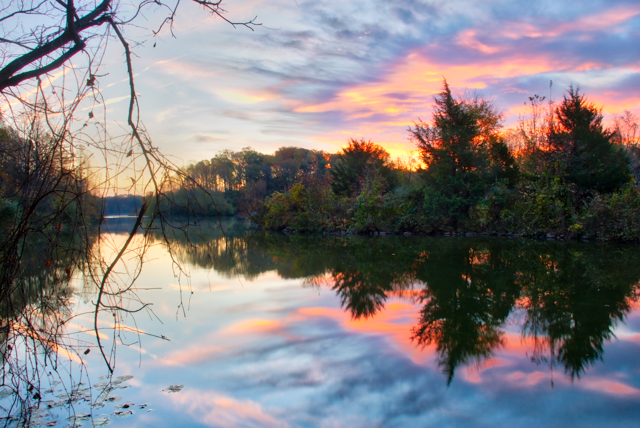
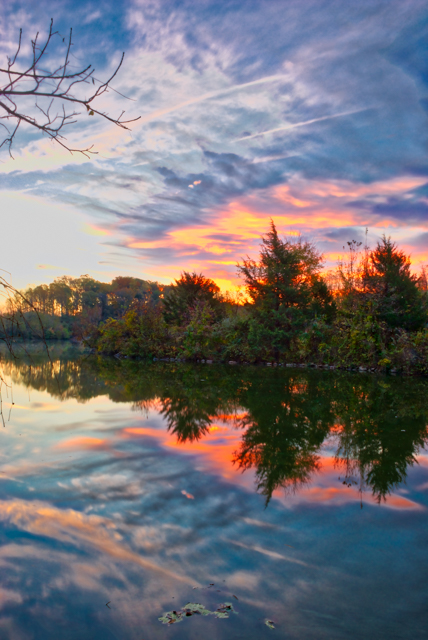
Sunrise at the lake

The water was fairly still so I was able to get a great reflection of the sunrise and the trees. Aurora HDR 2017 did a great job processing this 3 bracket shot.


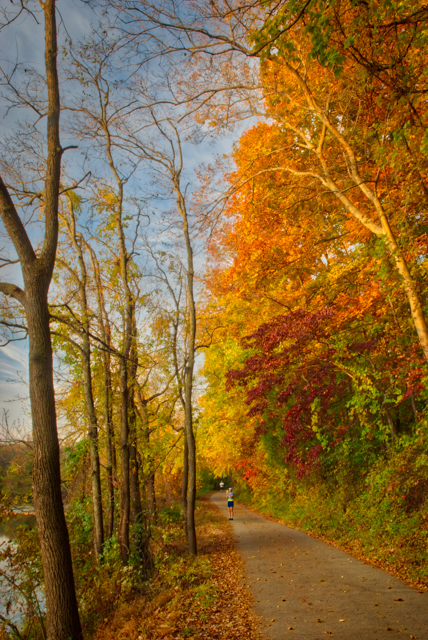
Folks out enjoying the park in the early morning.

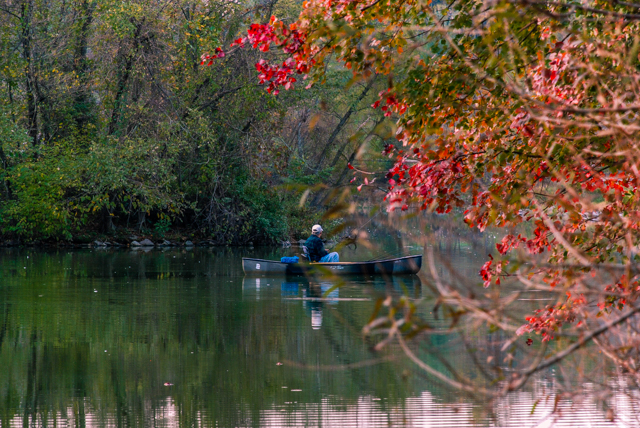
Unknown out in a canoe in Centennial Lake in Columbia.
A peacefull morning out in a canoe in Centennial Lake in Columbia.
20161030-dsc_8162
Taking a break from running to take a picture of the view

#fall #Sunrise #lake, #leaves, #park


Macphun Announces Luminar for Mac

The Macphun team Announces Luminar for Mac


Click the image below to learn more and you can enter your email address to stay up to date about the Luminar news from the great folks at Macphun. They make the best photo software for the Mac and I’m sure it will be another great addition to their product line.

So check it out now, there’s no harm in just finding out if it might be for you as it cost you nothing just to find out.

Luminar pre-order starts on the 2nd of November. And the launch is scheduled for November 17. If you own a Macphun app for Mac, you’ll pay only $49 to get Luminar & exclusive bonuses. For new users (who don’t own any product by Macphun) the price will be very compelling as well – just $59.

You’ll love the bonuses. Everyone, who pre-orders Luminar will get the Macphun exclusive video series, called “Photography Essentials”, as well as the Marketing Guide for Photographers from Will Burrard-Lucas, award-winning wildlife photographer.


Luminar for Mac


Check back here in a few weeks as I will have more details and a demo of this new product.

#Macphun #Luminar #announcement #Photoeditor


Another Year Another Calendar Month

Another year another calendar month that features my photo

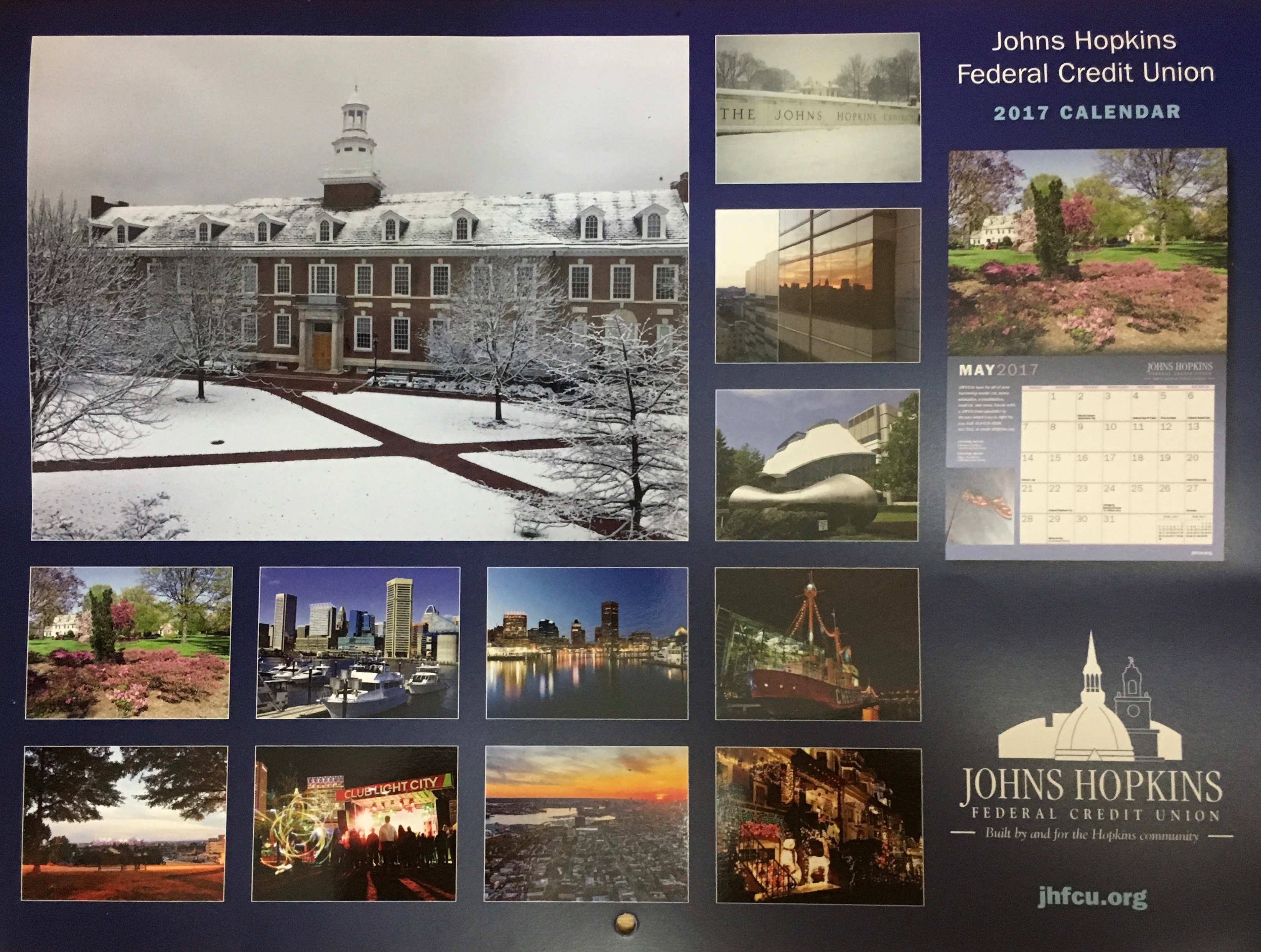
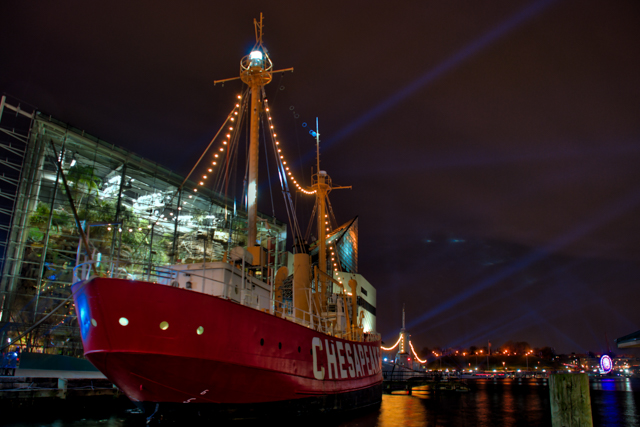
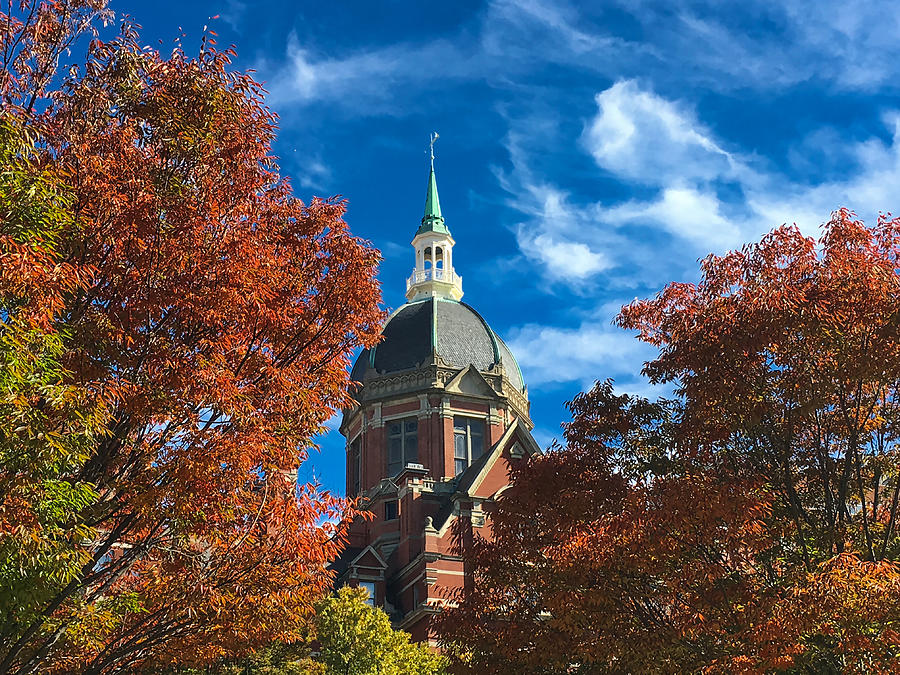
Humbled again to have two of my pictures publish in the JHFCU 2017 calendar. This year I ended up as the main photo for the month of August and in October as a side photo. No matter where I am I’m always grateful for the exposure, so be sure to get your copy and look for my photos.


The image selected for the Month of August.

United States Lightship Chesapeake


The United States Lightship Chesapeake in the Inner Harbor Baltimore during the City Light Festival in 2016


The side photo for October

The Johns Hopkins Hospital Dome in Fall


#JHFCU #Calendar


Aurora HDR 2017

42760-gif

Aurora HDR 2017 – The world’s most powerful HDR software, made exclusively for Mac just got even better.


Aurora HDR 2017 All Features

  • Batch Processing
  • Polarize Filter
  • Powerful Zone System for Luminosity masks
  • Hue-Saturation-Luminosity panel
  • DNG Files Support
  • Radial Masking
  • Advanced Top & Bottom adjustment panel
  • Signature presets from Serge Ramelli and Captain Kimo


Aurora HDR 2017 Improved Features

  •  Tone-mapping technology with reduced HDR noise, improved realism of initial result and faster performance
  • User Interface with a cleaner more modern style


Click Here to Order Aurora HDR 2017 or get your Upgrade to Aurora HDR 2017 Today


If you want to try before you buy

Download Aurora HDR 2017 Trial your Here


  • New Customer Price $99 –  Save 10% with coupon code MDPDEAL
  • Current Users of Aurora HDR Pro Upgrade Price: $59 Save 10%with coupon code MDPDEAL
  • Current Users of Aurora HDR Upgrade Price:  $79 Save 10% with coupon code MDPDEAL


Continue reading to get more into the nuts and bolts of the program including system requirements, and comparison of the different versions of Aurora are below.


Continue reading “Aurora HDR 2017”