
My Review of Nowvel and a few tips of an iOS app for printing photo books on your iOS devices such as a iPhone, iPad, or iPod touch.
Through a recent promotion I was introduced to a iOS application that will take your iPhone, iPad, iPod touch photos, Facebook photos, or Instagram photos and create a 20 page photo book with up to 100 photos.
This is my review and experience with that product.
The product is currently only for iOS devices running version 8.0 or later.
I’ve used it on an iPhone and on an iPad. I’ve found it easier to use on the iPad just because things are larger and my eyesight is not what it use to be. It behaves the same on both devices. On both devices it is only in portrait view, which I can see on the iPhone, but I wish it would do landscape on the iPad.
Initially I found the app a little hard to use. Like a lot of apps these days there is no manual. Granted the younger generation that are use to mobile apps might would have picked it up a little faster than I. Once I figured the basics of adding, ordering, and editing photos I found the program very easy to use.
When you open the app you are sent to the Choose your Album of the Create a New Book menu.
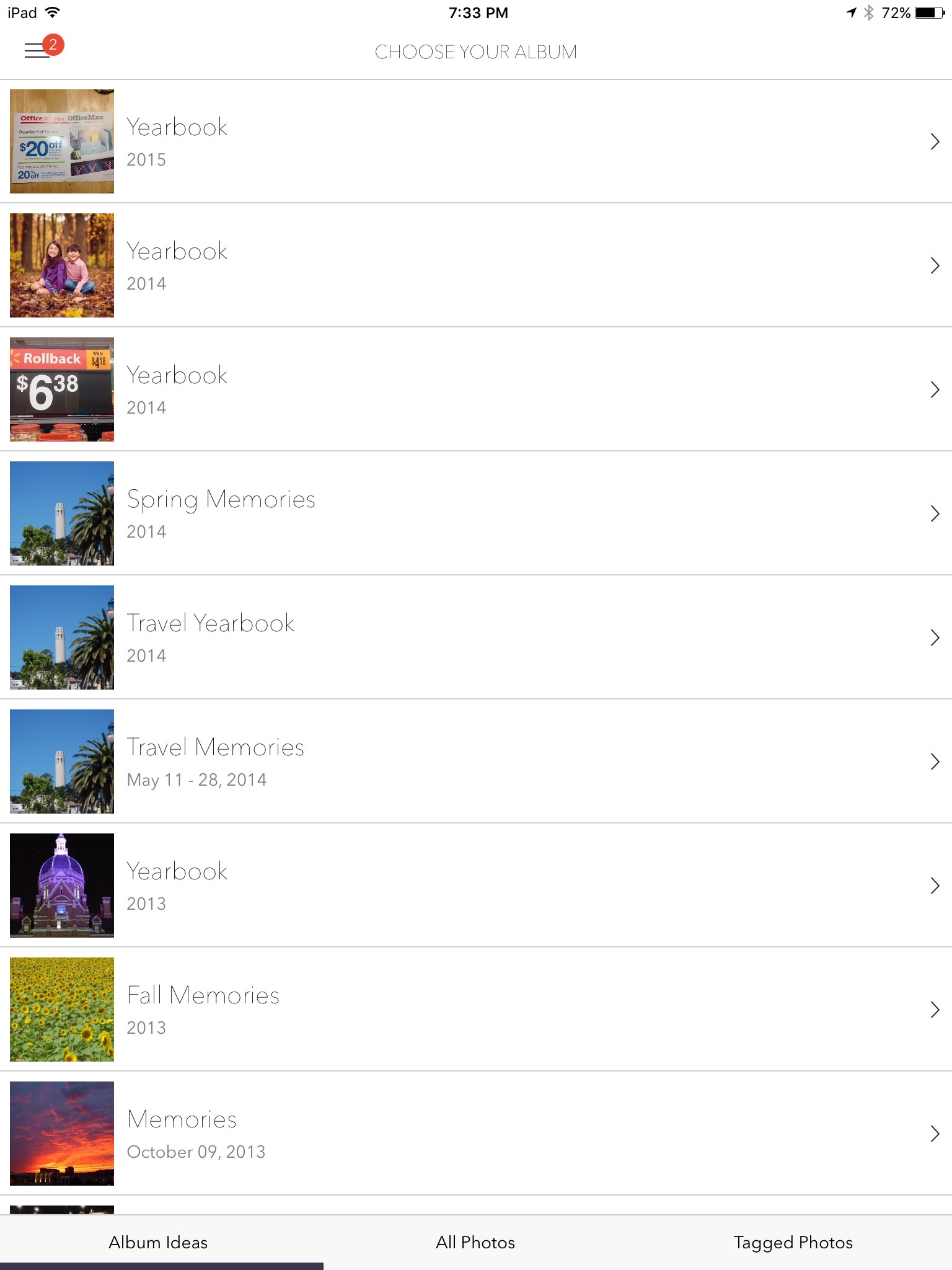
You can either choose one of their automatically created albums on the Album ideas tab or choose All photos or Tagged Photos tabs to start creating a custom book from your photos.
- Albums Ideas – If you select one of the albums that were created by Nowvel it will take you to the images that they selected for this album and put you on the “Our Picks* tab that shows the pictures the app has picked for the book. You can select the photos from this list or choose one of the other tabs of “Just Faces” or “All Photos”.
- All Photos – You can select an album from your device, Facebook, or Instagram as the starting point for your new book. (Note you will see your iCloud Shared albums here, but do not use the those albums as a source as you either see no pictures available or it may show that most are too low of quality to print. There is a solution if these albums contain the photos you want to use and I give the steps below)
- Tagged Photos – Shows photos that are tagged on your social media sites
Now how do you use photos that are in one of your shared iCloud albums and use it in Nowvel. Here are the steps I took
- Open the Photos app on your device
- Select the shared album that has the photo you want to use and open it to see the photos in the album
- Click “Select” at the top and tap each image out of this album you want to use. If you want to use them all, choose “Select All” at the top
- When you are done selecting the images, click the “Share” icon on the top left
- Click “Save Image” to have the selected images saved to the local devices camera roll.
- Open Nowvel if not already open and on the Choose Your Album page (on the Create a New Book section)
- Select the All Photos tab at the bottom and choose your Camera Roll Album
- You can now select the images you just saved to create your new Nowvel photo Book
If you have photos on your computer or took some with another device that you want to get into your Nowvel book and you are not using the iCloud Photo Library, just create a shared album in Photos on your computer and that shared album should show up on your device. Then use the method above to import them into your camera roll so you can use them in Nowvel. If you have enough iCloud storage and have the iCloud Photo Library turned on for all your devices then the creating of a shared library is not necessary as all your photos will already be on your device as part of that service. In my case, I do not have the iCloud Photo Library turned on as I have way more photos than my storage limit.
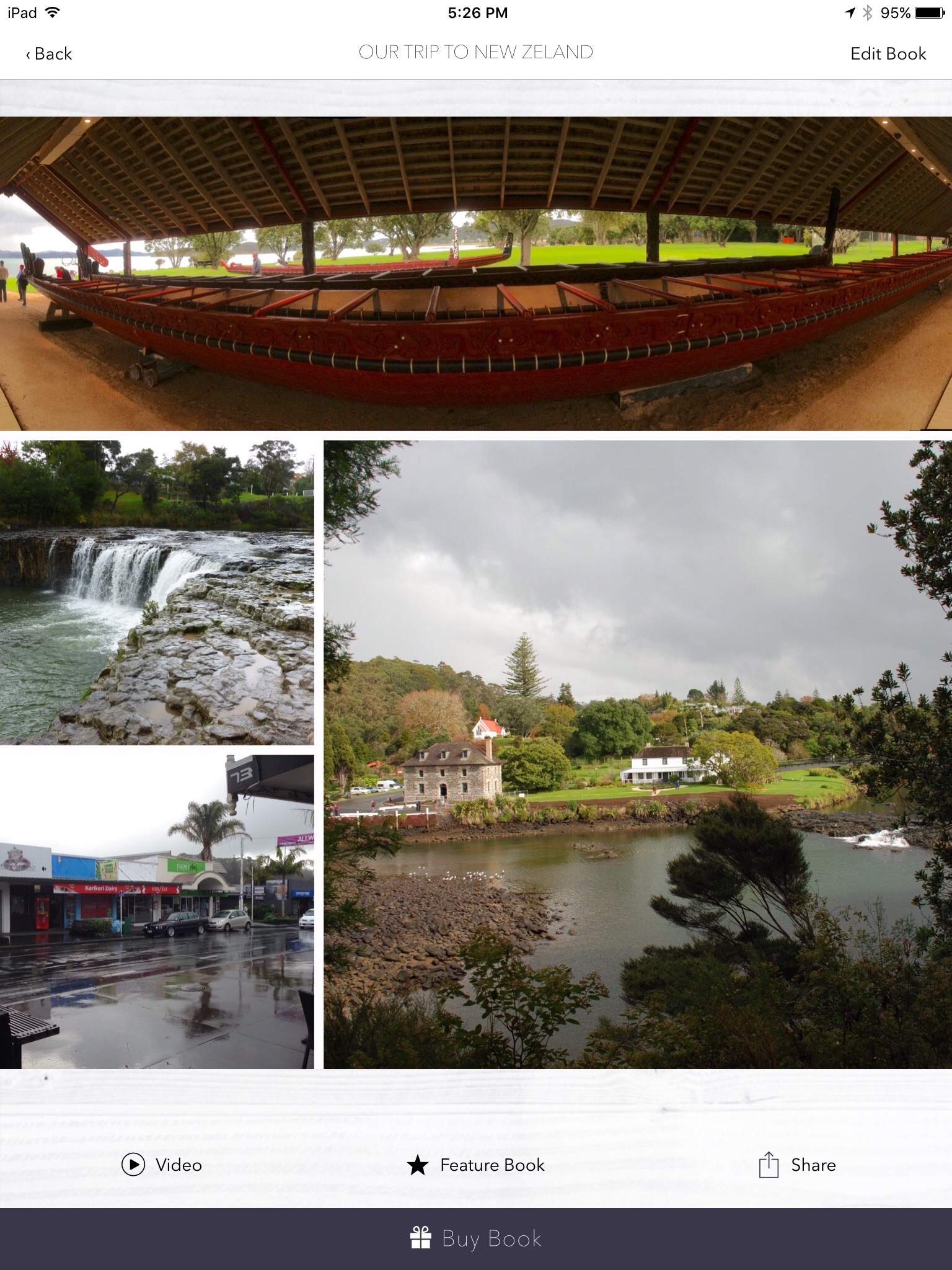
Once you select your images they are placed in your photo book in what I believe is chronological order by date/time and a layout is chosen for each page and you will be shown the current cover for your book. The number of images placed on each page will depend upon how many you selected, but you do need to have at least 20 photos selected before it will let you create your new book. Don’t panic if you don’t like the cover layout or any page layout as you can easily edit the book, just click the Edit Book on the top right.
You have 20 cover designs to choose from at the time of this writing and they seem to be adding more all the time. Most have some customizable text boxes on the front and back covers along with varying number of photos to be shown depending upon the layout chosen.
For each page you can Shuffle Collage to change the way the image or images are laid out on the page. You can easily add and remove images from a page, rearrange where they are located, and add text to the page. Just tap the image to edit it or remove it. Any removed image will be put down in a little bar at the bottom of the page so it is available to put back or be placed on another page. Tap, hold and drag an image to move it to a different panel on the collage. Each image can be edited by cropping it to fit the collage panel, or enhanced the image a little, or have a filter applied to the image, or any combination there of. To add text to the page, click the Add Text button at the bottom, type your text, and click done. The text will be placed in the middle of the page. You can now change the color from White to Black, Change the Alignment, or change the font. Tapping each button will cycle through the options for that button, just like the Shuffle Collage does for the images.
I will note that if you add an image, remove an image, or Shuffle the Collage you will need to check any image that you had adjusted the cropping for as it would have been reset and you will have to redo your crop setting.
Once you have the layouts done, you can reorder the page order if you wish. When you are done editing, just click done in the top left or View My Photobook at the bottom.
Now you are ready to order your book. Just click Buy Book at the bottom of the page to get to the in-app ordering page where you will see your coin balance applied, choose the number of books you want ordered, select if this is a gift, enter shipping information, and enter payment information.
You can also Share your Photobook with Facebook, Twitter, Email, iMessage, or other service. You have the option to have your book featured on Nowvel’s Inspiration Gallery and make it available for others to buy. If they do, you earn a $1 coin for ever purchase.
The Nowvel Menu
You can reach the main menu of the program by clicking the menu button of three horizontal bars on the tops left
The menu consists of the following options
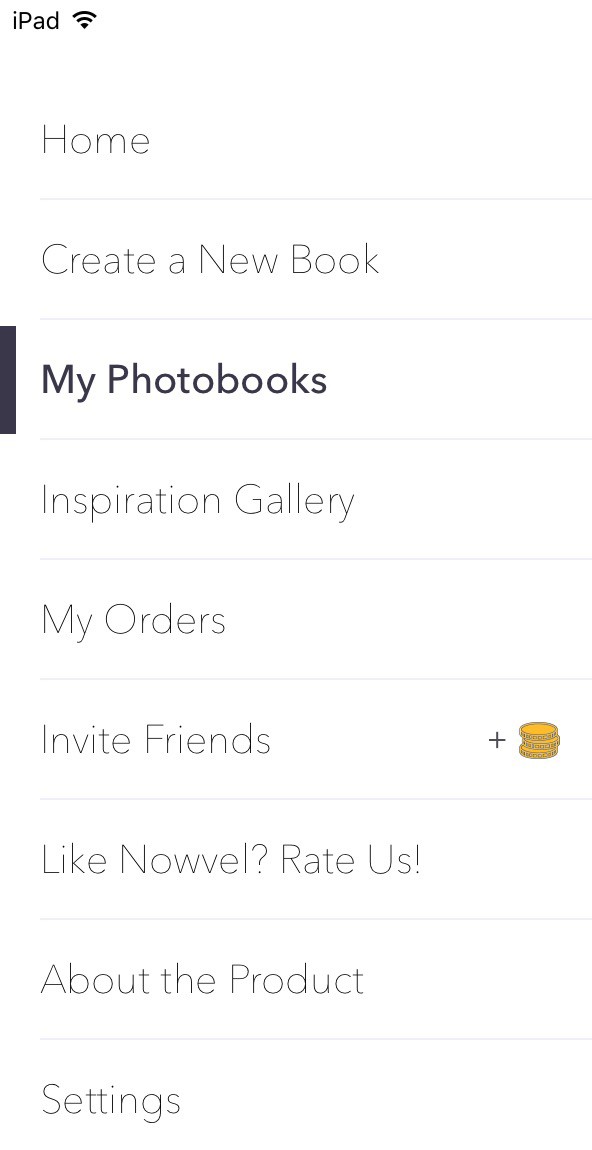
Whats in each section of the menu
Home – Here you can quickly see your coin total and have access to the basic menu options of Create a book, View my books, and see their inspiration Gallery
Create a New Book – Here you will see
- Nowvel’s list of Album Ideas that were automatically created based upon your photos. So far it looks like they have done a pretty good job on my photos of grouping them by event or time period.
- All Photos is where you can select up to 100 photos for your custom book from your device albums (does show your iCloud Shared Albums here, but as I mentioned above you only want to select photos from the Camera Roll or Albums created on your iOS device), Facebook, or Instagram.
- Tagged photos from Facebook, or Instagram.
My Photobooks
- Photo books you have created or selected from the Album Ideas list.
- A “Nowvel for Dummies” which describe the features of their books
Inspiration Gallery
- Where you can see Featured Books created by other Nowvel users
My Orders
- Any order you have placed will show here along with the Order Date, Order Number, and Status.
- You can also Track a Package (Once your book has shipped) and Re-order a Book the book easily from this page.
Invite Friends
- Here you can invite friends from Facebook or Twitter and email or SMS a Friend.
- Your friend will get $5 off their first book and for each book they buy, you receive a $5 credit.
Like Nowvel? Rate Us!
- Takes you to the App Store so you can leave a review or rate the app
About the Product
- A brief description of their product
Settings
- You can enter any Coin Codes you receive here to have the coins added to this device.
- Shows what services you have connected for sources of your photos, Camera Roll, Facebook, or Instagram.
- Shows if you have enabled Notifications
- A Contact option that automatically creates an email to their support address that will show your devices unique code. This is how they know you and this code is different for each device, hence each device being treated as a different account.
- The privacy and terms of use.
- And icons to follow Nowvel on various social media sites.
Coins – What are they and how do you get them and use them.
Coins are a way of paying for all or part of your Photo Book. There doesn’t seem to be a limit on how many you may earn. You can view your balance on the Home page.
You can earn coins by doing various tasks such as connecting Nowvel to your Facebook and Instagram accounts, Inviting friends to use Nowvel, and you may receive notifications on other ways to earn more coins.
You can use your coin balance to cover the cost of the book, but shipping is not covered by your coin balance. For example on my recent order of one book the total cost was $25 for the book including shipping. I had a coin balance of more than 20 coins so the $20 cost of the book was covered by my coin balance and I only had to paid for the shipping of $5.
The Printed Book
I ordered my first book on the 22nd and it arrived on the 26th. So 4 days from time of order to arrival I think is pretty quick and it was sent via USPS so you can track the shipment along the way.
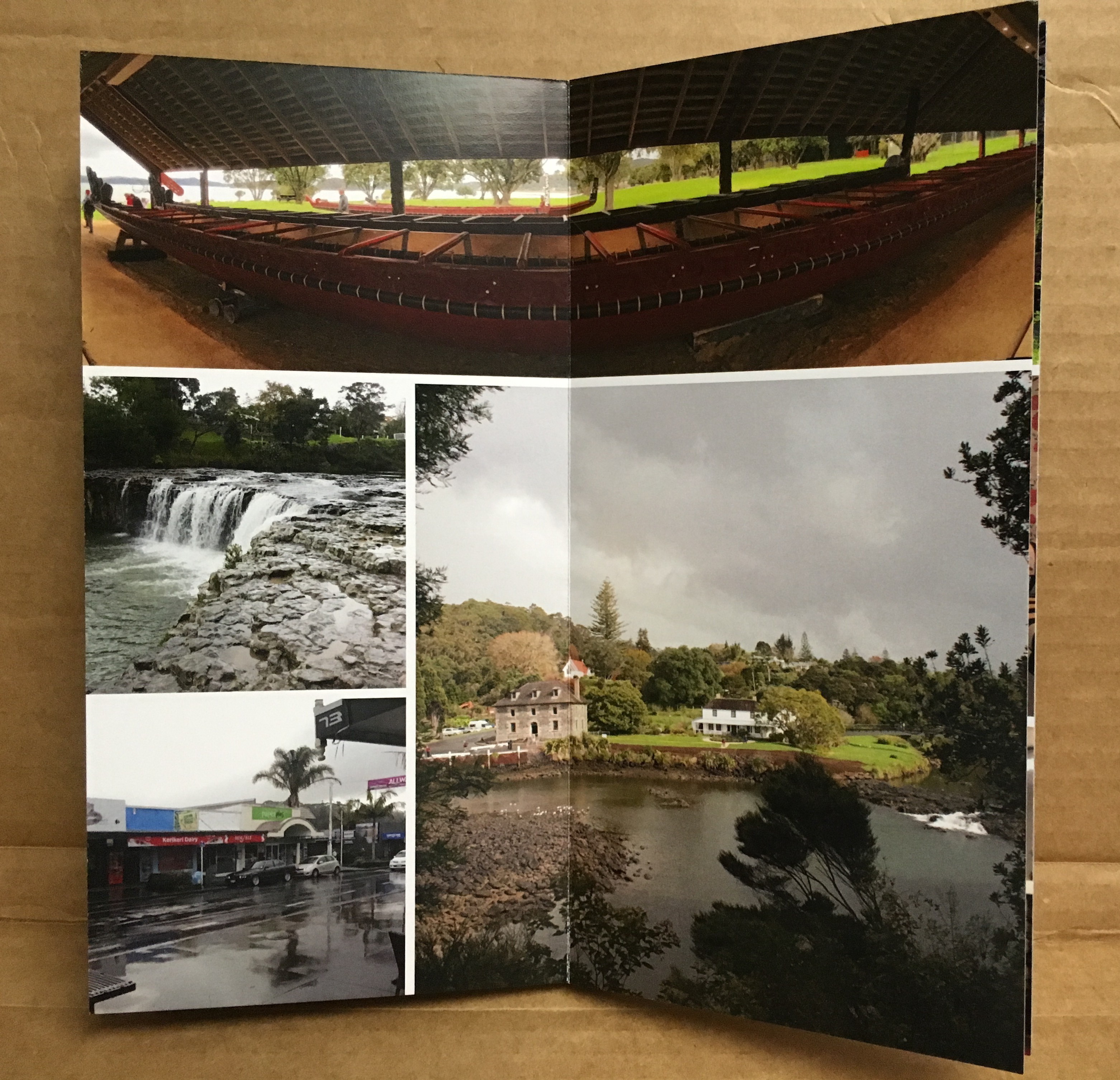
Here are some photos to show the book I received.
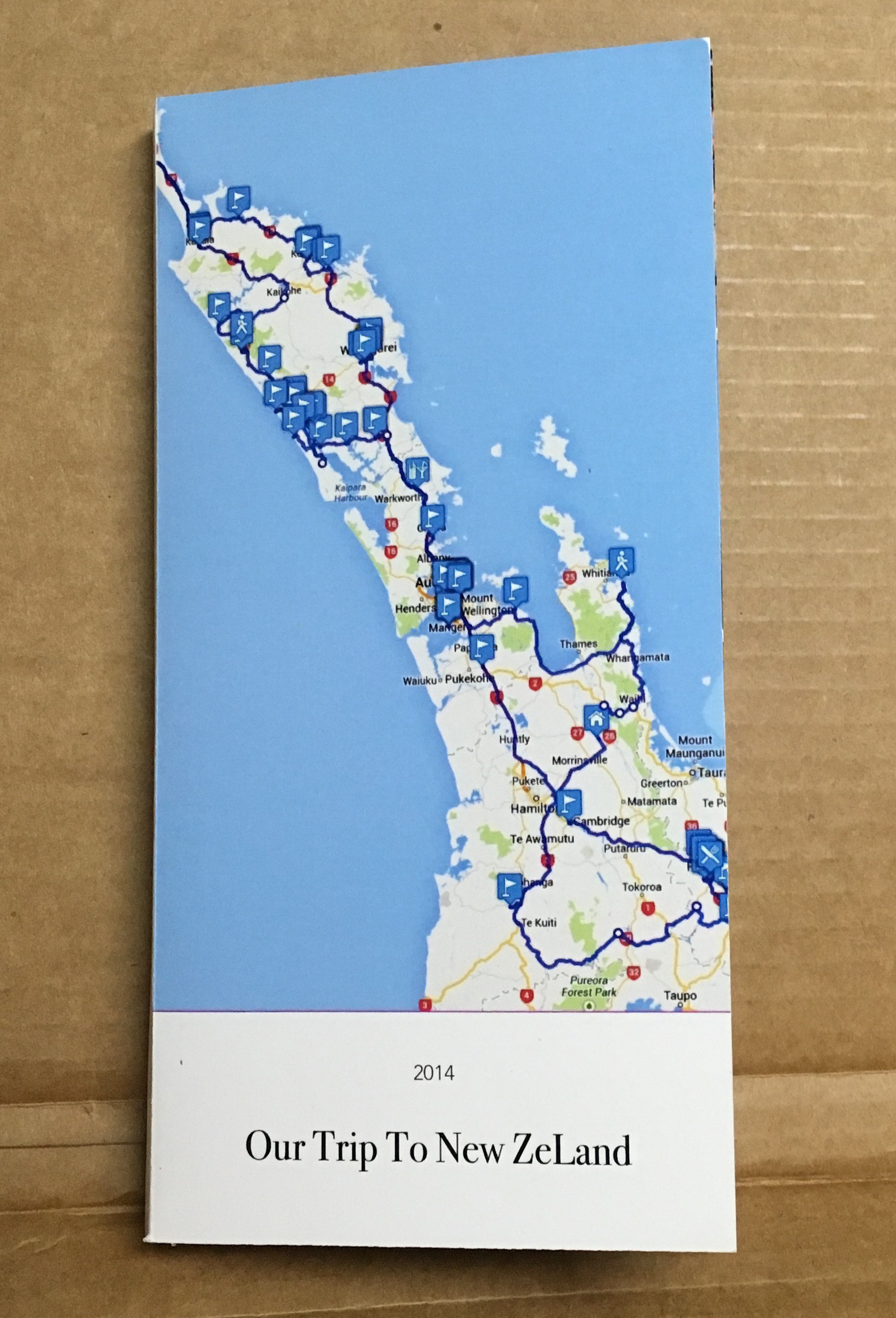
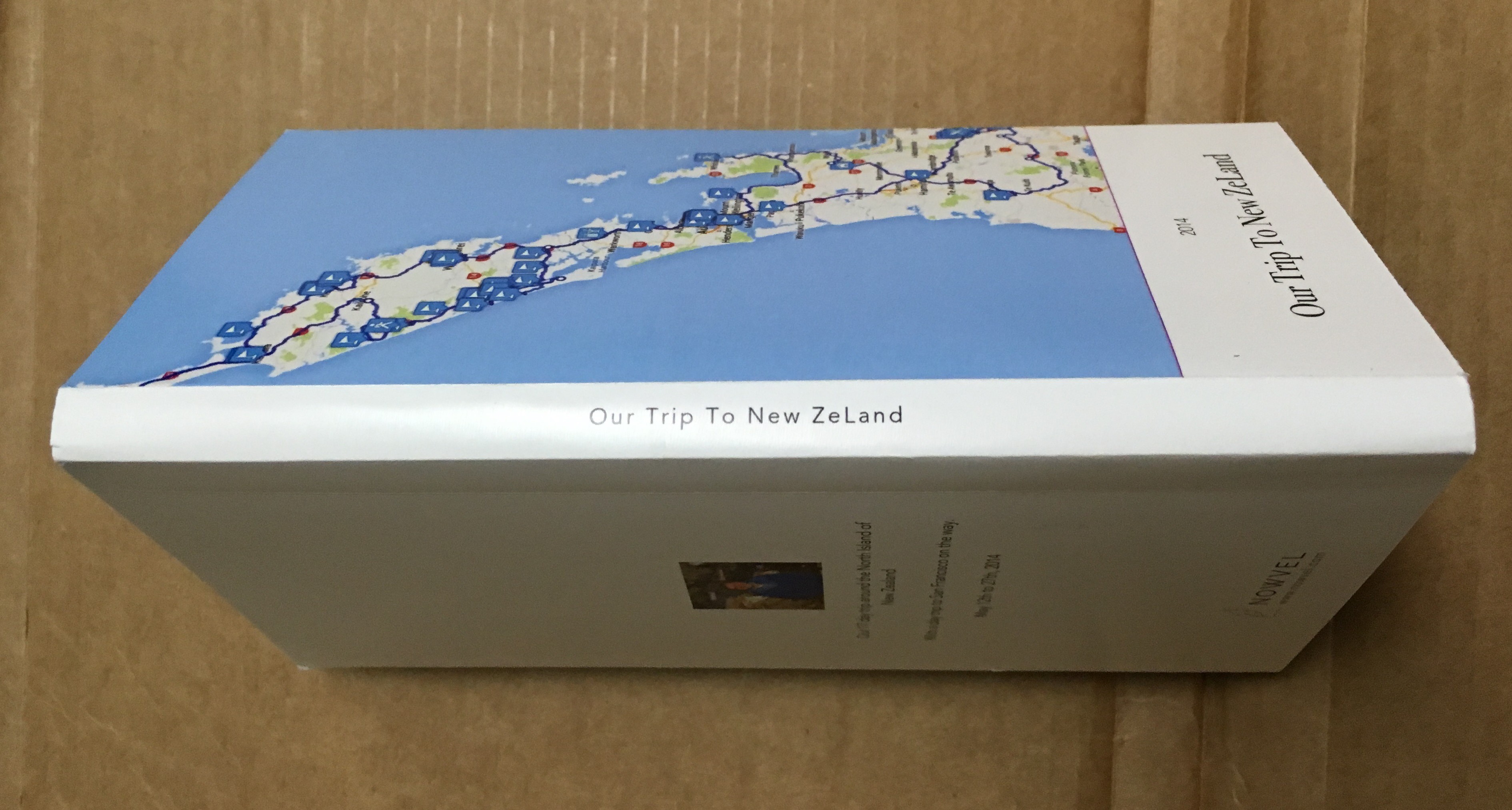
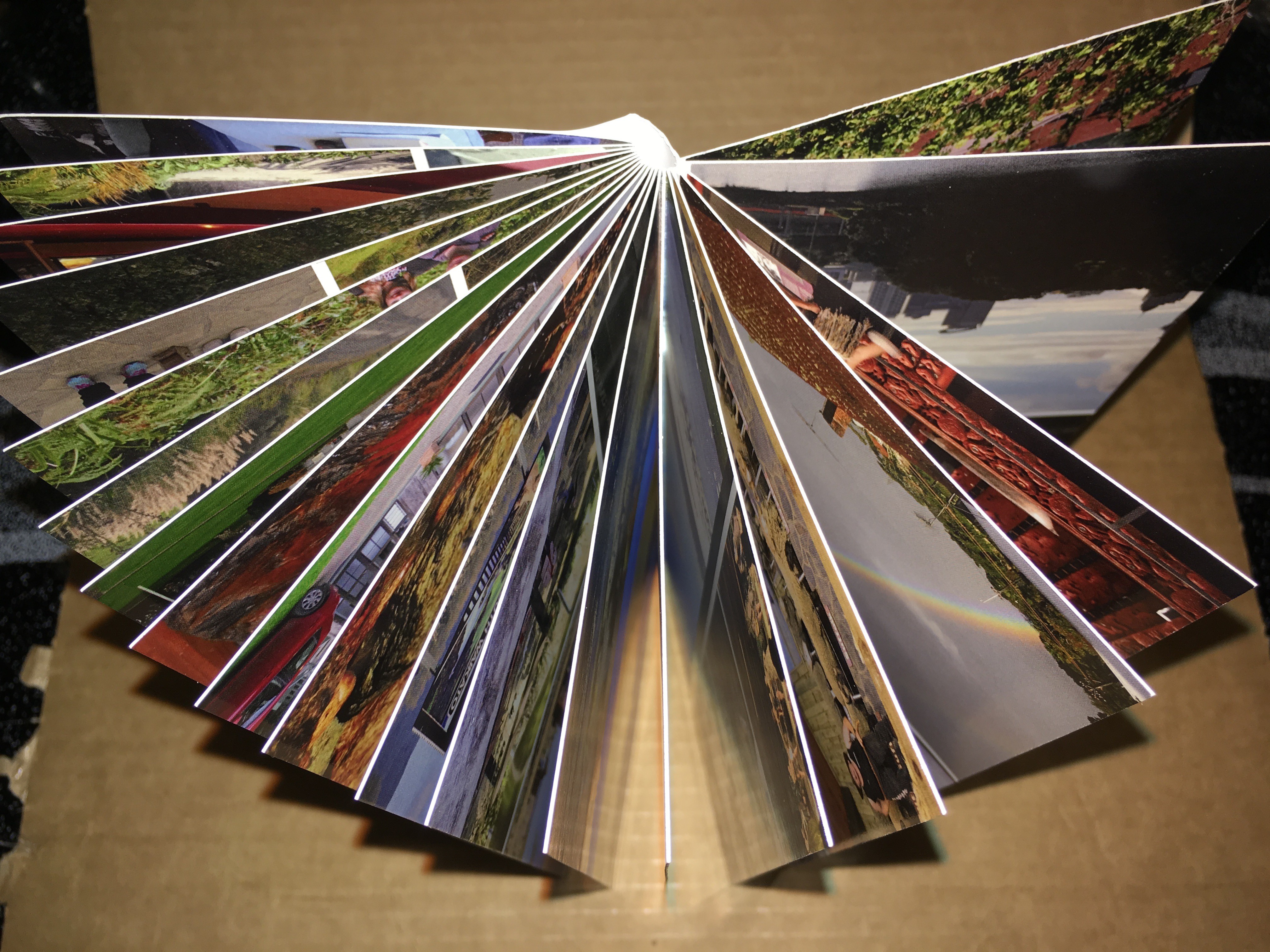
After getting the printed book I realized it is not quite what you see is what you get on the view shown in the Nowvel app. This is not a problem that is isolated to the Nowvel app but a lot of the photo printed book. That being you lose part of your image on the outer edges when you have photos on the edge.
Below I show the full page and close up views of a page from my Nowvel book that shows how much is clipped from photos that are on the edge of the book. My best estimate is about 1/8 of an inch. [post review note: this was spelled out in their faq file and it is indeed 1/8 of inch]
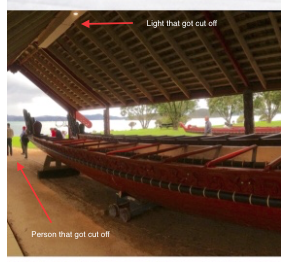
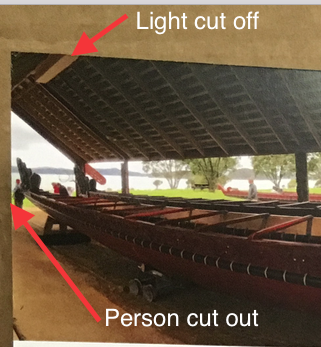
Despite the edge cut off that I didn’t take in account for on a few images and not following my own advise with one image not being center, which were all my fault. I love how the book turned out and will be getting more.
Negatives I see at the moment.
Each device is treated as its own account and as such the coins you earn/enter and the books that you create are only on the device you earned/entered the coins on or created the book on . They are not transferable from one device to another at this time.
One BIG problem I had with the when I deleted Nowvel. If you delete the app from you device for whatever reason you will LOSE all of your coins. When you reinstall the app you will be back to the initial balance of $0. Luckily I still had my promotional notice and was able to have Nowvel support credit my device for the deleted coins.
Since the coins you earn are per device and each device is treated as its own account when you go to order a book you can only use the amount of coin credits you have on that device. It does not matter how many coins you have in total across all your devices. For example, if you have an iPhone with 4 coins and an iPad with 20 and you buy your book on your iPhone you can only use the 4 coin credit from your iPhone even though you had enough coins on your iPad to pay for the entire book.
The program crashed for me when I tried to add an address from my address book for the shipping address during ordering on the iPad. Seems to work on the iPhone, but it didn’t let me select which address of the multiple address I have listed, such as work and home, and it put in the first address listed in my contact card which happen to be my work address. So I’d say there are a few bugs still to be worked out, but I was able to add my address manually with out any issue.
In summary
I do think this is a great app. Once you get the hang of it is very easy to use.
The printed books are have a good solid feel to them and the photos look great on the thick paper pages.
I would recommend you decided which iOS device you are going to use with this app and then stick with just that device. For most folks I think this would be your iPhone anyway since that is the iOS device most use to take their photos. This way you have access to all of your coins when you go to buy your book. You will also have access to all of your custom created books.
I’ve contacted support a few times for some of my issues and they have been very helpful and I’ve gotten responses and resolution within a day in most.
This syncing of books and coins is something that I”m hoping they have in the plans for the future to make it more usable on multiple devices.
If the iPhone is your camera, then I would say this is definitely an app for you.
I would also recommend reviewing their FAQ at https://nowvel.com/faq.html as it gives a fair amount of information about the app.
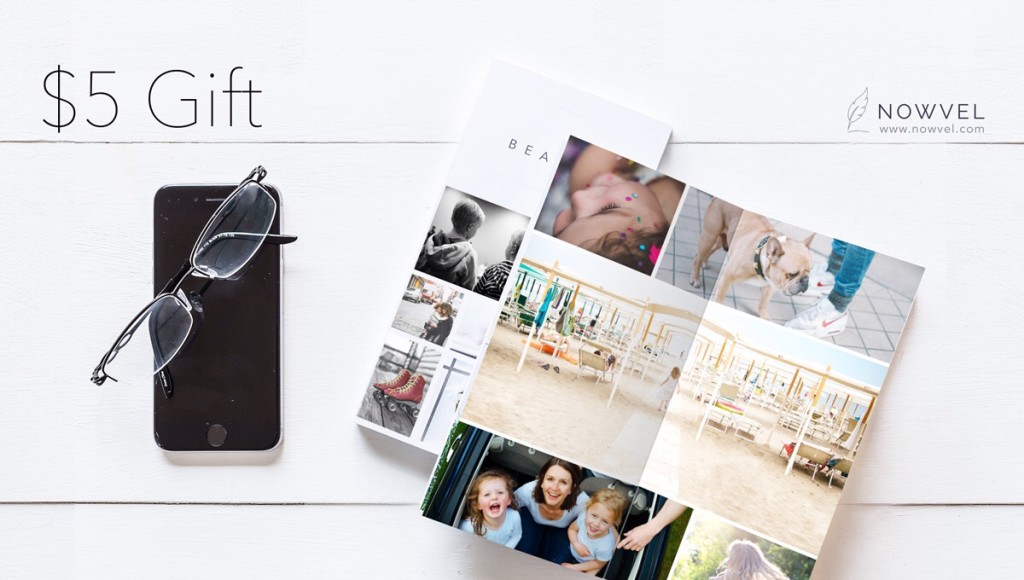
If you are ready to make the jump, I can help you out a little with a $5 gift towards your first book. Just click on the image below.